
£24.69
Add to Cart
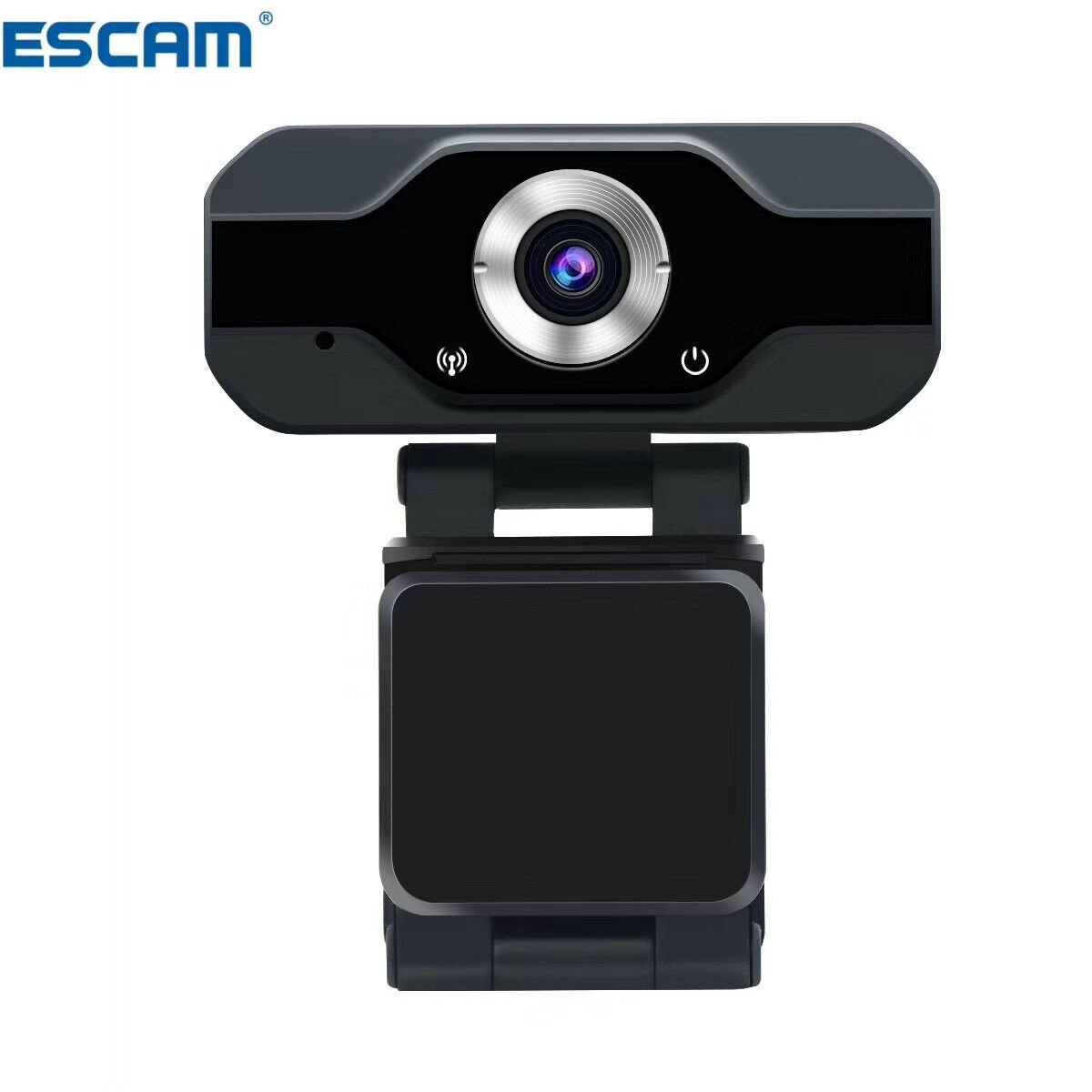
1080P Webcam for PC H.264 Built In Mircophone Online Teaching Video Conference
5 available
Details
Shipping: United Kingdom: free (more destinations)
Condition: Brand new
*The store has not been updated recently. You may want to contact the merchant to confirm the availability of the product.


1. Two million high-definition image sensor, with an effective resolution of 1932x1088; 2. Audio acquisition is supported. 3. Standard UVC / UVA protocol, drive free, plug and play. 4. Support Windows / Android / Linux system. 5. H.264 and MJPEG image formats are supported,The maximum support is 2MP / 30fps image resolution. 6. It can be used for online teaching, live broadcast, video conference,Video chat, intelligent TV external devices. SETTING UP YOUR WEBCAM 1.Place your webcam Designed for the way you like to make a video call, place the webcam where you want it on a computer monitor, desktop, or tripod For placement on a monitor: Grasp the webcam as shown and open the flexible clip/base with our other hand.Mount the webcam, making sure the foot on the flexible clip/base is flush with the back of your monitor 1111MicrosoftInternetExplorer402DocumentNotSpecified7.8 磅Normal0 2.Connect the webcam Connect the webcam to a computer USB port.The Windows® UVC or Mac drivers are loaded automatically. Driver installation may take a few moments 1111MicrosoftInternetExplorer402DocumentNotSpecified7.8 磅Normal0
Other Products from securitygadaget (View All)
-
£10.13
-
£47.28

-
£17.18
-
£33.77
-
£56.28

-
£12.38

-
£322.67
-
£83.22

-
£15.00
-
£59.27


 CN, Guang Dong